


Find the Exact Moment in Your Video Library
VideoTagger indexes your local videos, and its on-device AI marks the moments where people, objects, and scenes appear. Confirm the suggestions you trust, then search everything and jump straight to the spot — your files never leave your computer.
Free to use · No account needed · macOS & Windows
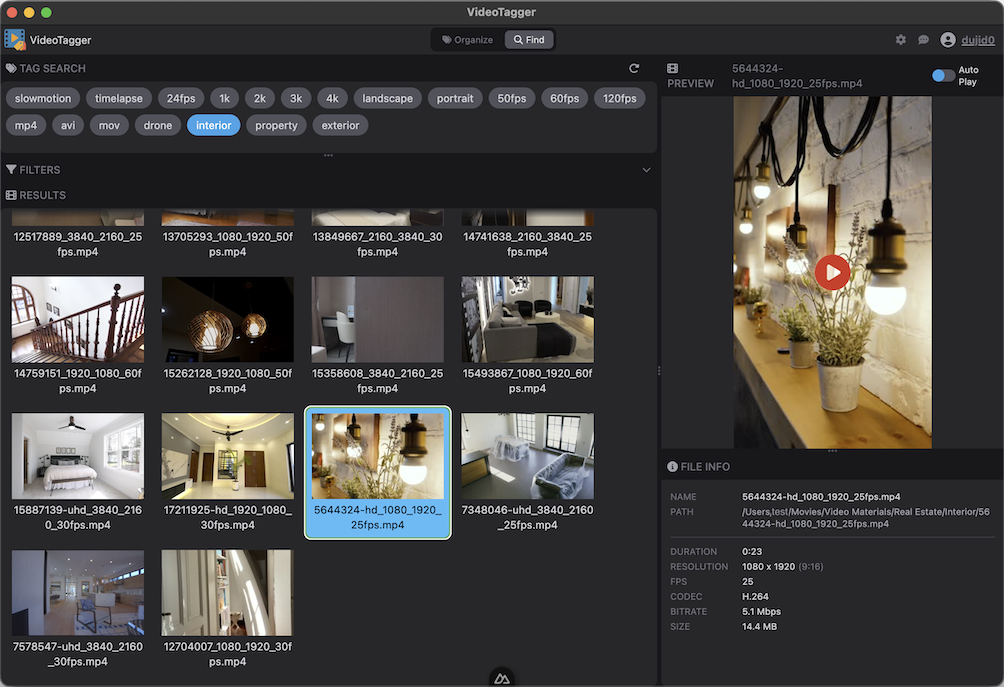
Index Once, Confirm What Matters
Add a folder and thumbnails appear right away — AI tagging fills in the background and even resumes after a restart. As the AI recognizes people, objects, and scenes, it drops candidate moments marked with a ✨ sparkle; confirm the ones you trust and they become your reliable, searchable layer.
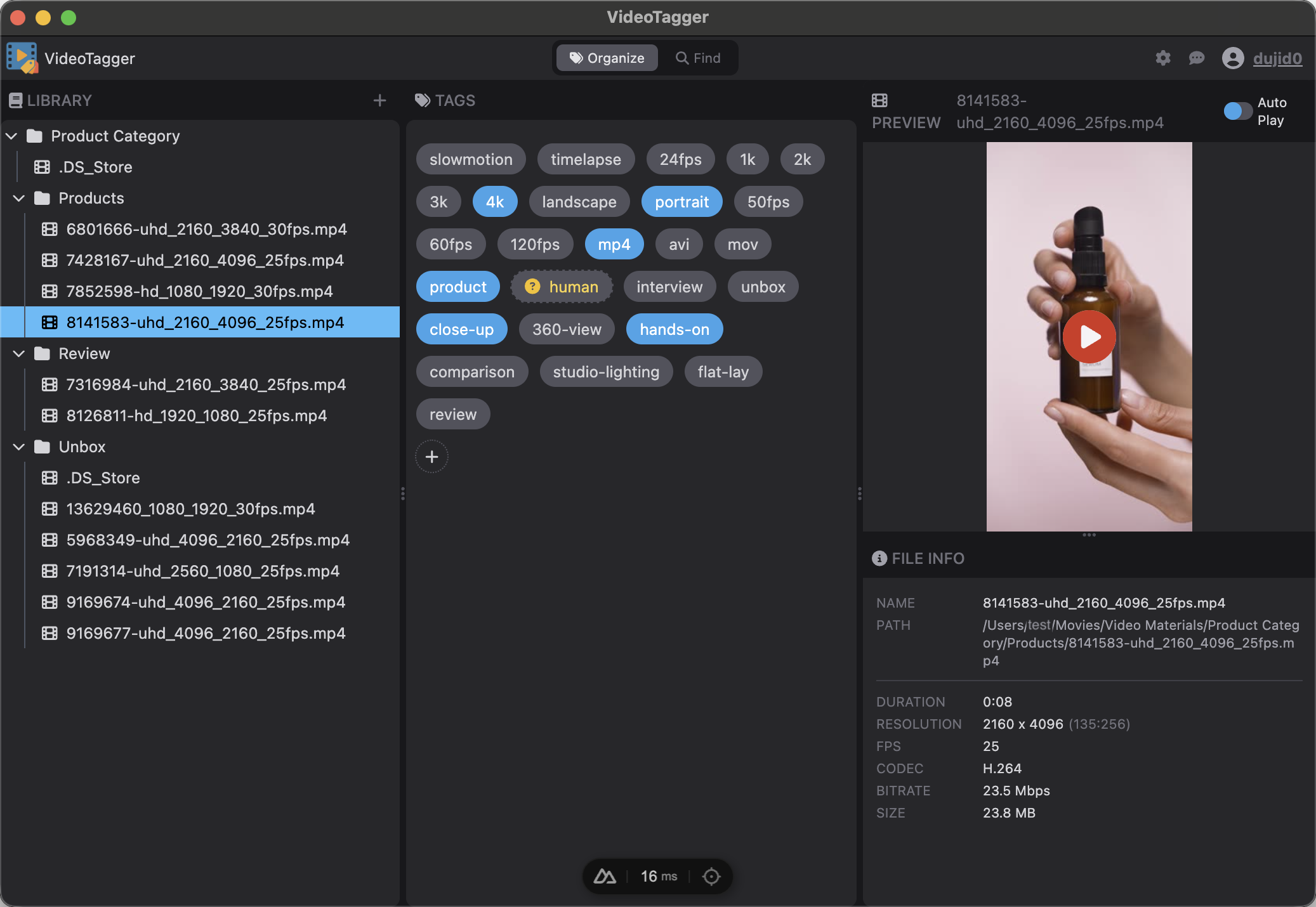
Jump Straight to the Moment
Switch to Find mode and your whole library is searchable from one place. Type what you're looking for or click tag chips — each shows how many videos use it — and results land you on the exact point in the timeline where the match occurs.

Let VideoTagger analyze footage and suggest the best tags instantly. Our on-device AI recognizes people, objects, and scenes and drops candidate moments right where they appear — without uploading your files anywhere.
Define your own tags
Create tags for resolution, format, scene type, or anything else. Select or deselect tags at any time — you're always in control.
AI suggests tags automatically
VideoTagger's on-device AI analyzes each video and suggests candidate tags marked with a ✨ sparkle, right at the moments where they appear. Confirm the ones you trust — no cloud, no waiting.
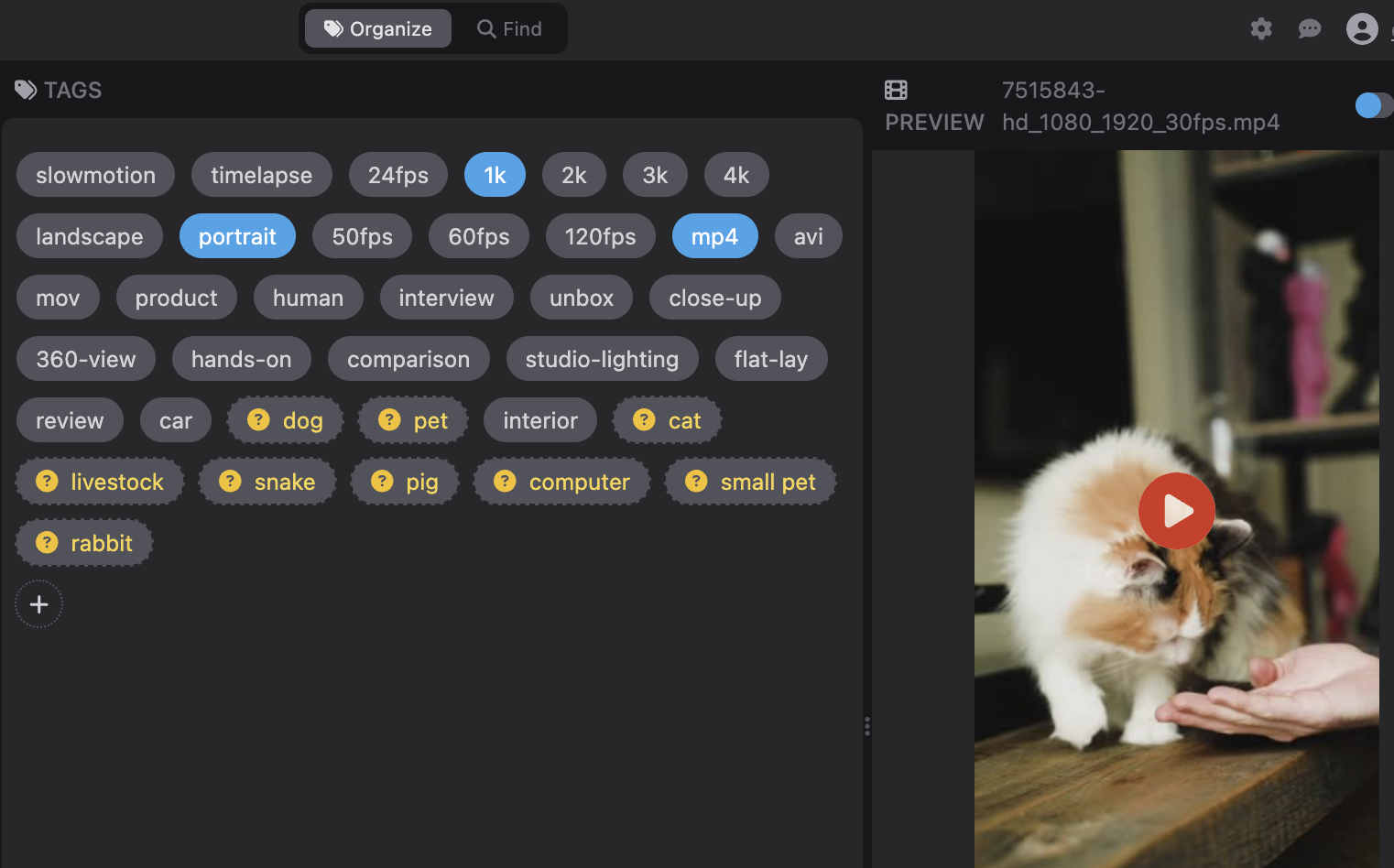
AI-detected tags are highlighted in the tag panel — dog, cat, pet, livestock, and more recognized automatically.
Smart Features Accelerate Your Work
Every tool is designed to save you time and effort, whether you're organizing your library or preparing for a big project.
Work in Moments, Not Files
A video is no longer one thing you tag. AI drops candidate moments at the exact spots where people, objects, and scenes appear — confirm the ones you trust and go straight to the moment, not the file.
Search That Jumps to the Spot
Free-text search across your whole library, tag chips that show how many videos use each tag, and results that land you on the exact point in the timeline.
Indexing That Gets Out of Your Way
Thumbnails and metadata appear the moment you add a folder, while AI tagging fills in the background — and indexing resumes automatically if you quit and reopen the app.
Batch Everything
Select multiple files and tag them all at once, multi-select folders to see one combined grid, and drag in several files or folders straight from Finder or Explorer.
Thumbnails for Every Clip
Browse your entire library visually with auto-generated, cached thumbnails — including pro camera footage like HEVC 4:2:2 10-bit from Sony and Canon.
Privacy-First
All AI processing runs locally on your device. Your video files and metadata never leave your computer.
Built for Your Workflow
See how VideoTagger fits into real-world production and content creation workflows.
Manage Footage Libraries at Scale
Organize thousands of clips with tags, search by scene type, and jump to the exact moment. Built for production teams handling large video archives.
Learn more →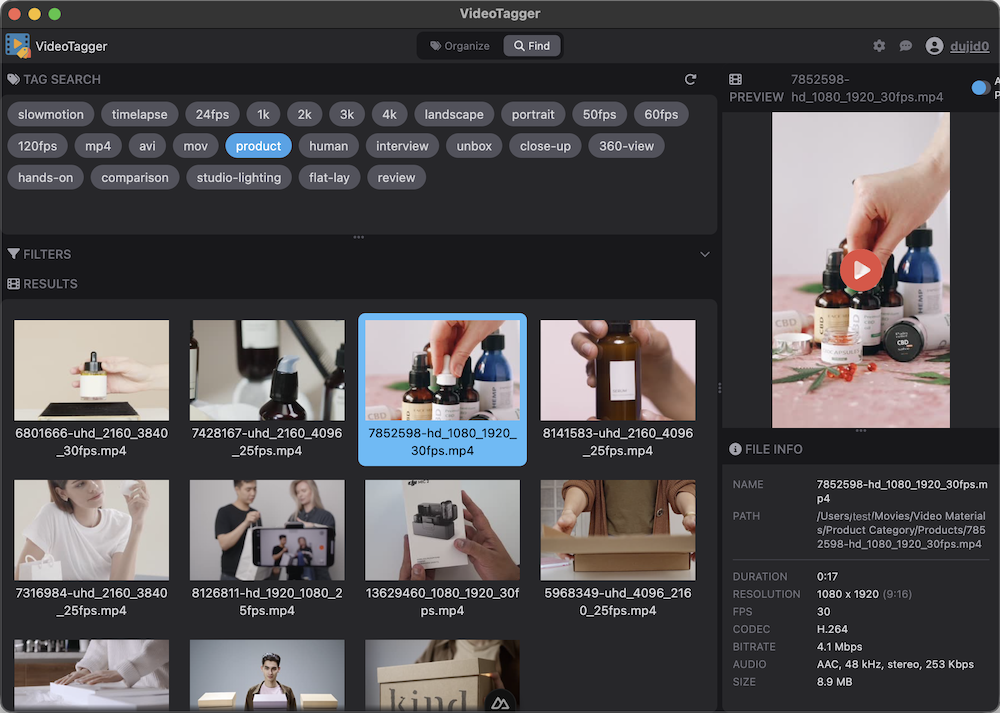
Keep Your Creative Library Tidy
Tag clips by project or theme, find the perfect B-roll moment instantly, and browse your library visually. Designed for YouTubers, streamers, and creators.
Learn more →Frequently Asked Questions
Latest from the Articles
Product news, plus plain-language guides to codecs, formats, and metadata.
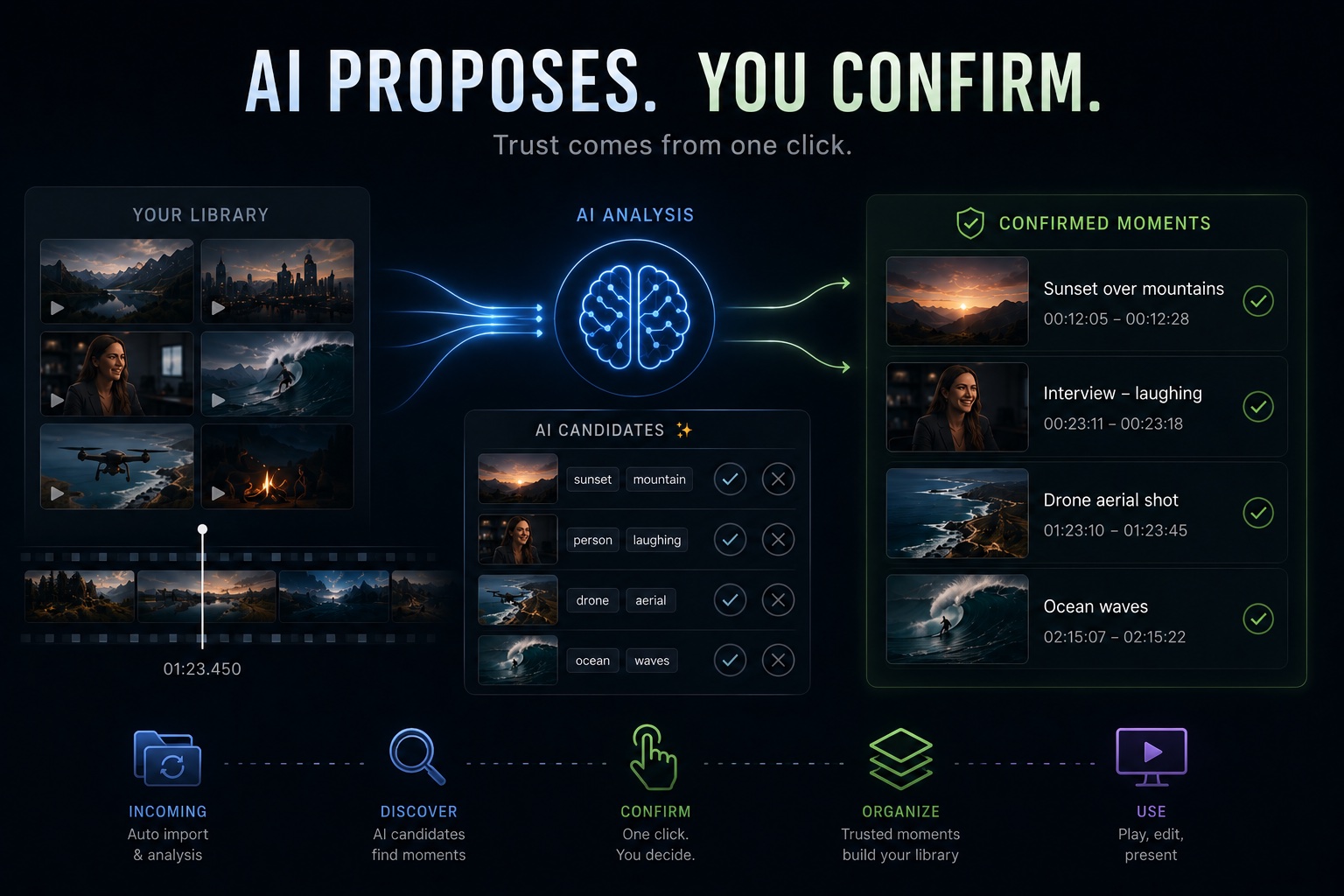
How Far Can AI Take Video Management? VideoTagger's Design Philosophy and Roadmap
Hand your video library entirely to AI and you trade away the one thing that matters: trust. Here is why VideoTagger pairs AI candidates with one-click human confirmation — and where the roadmap goes from here.
Read more →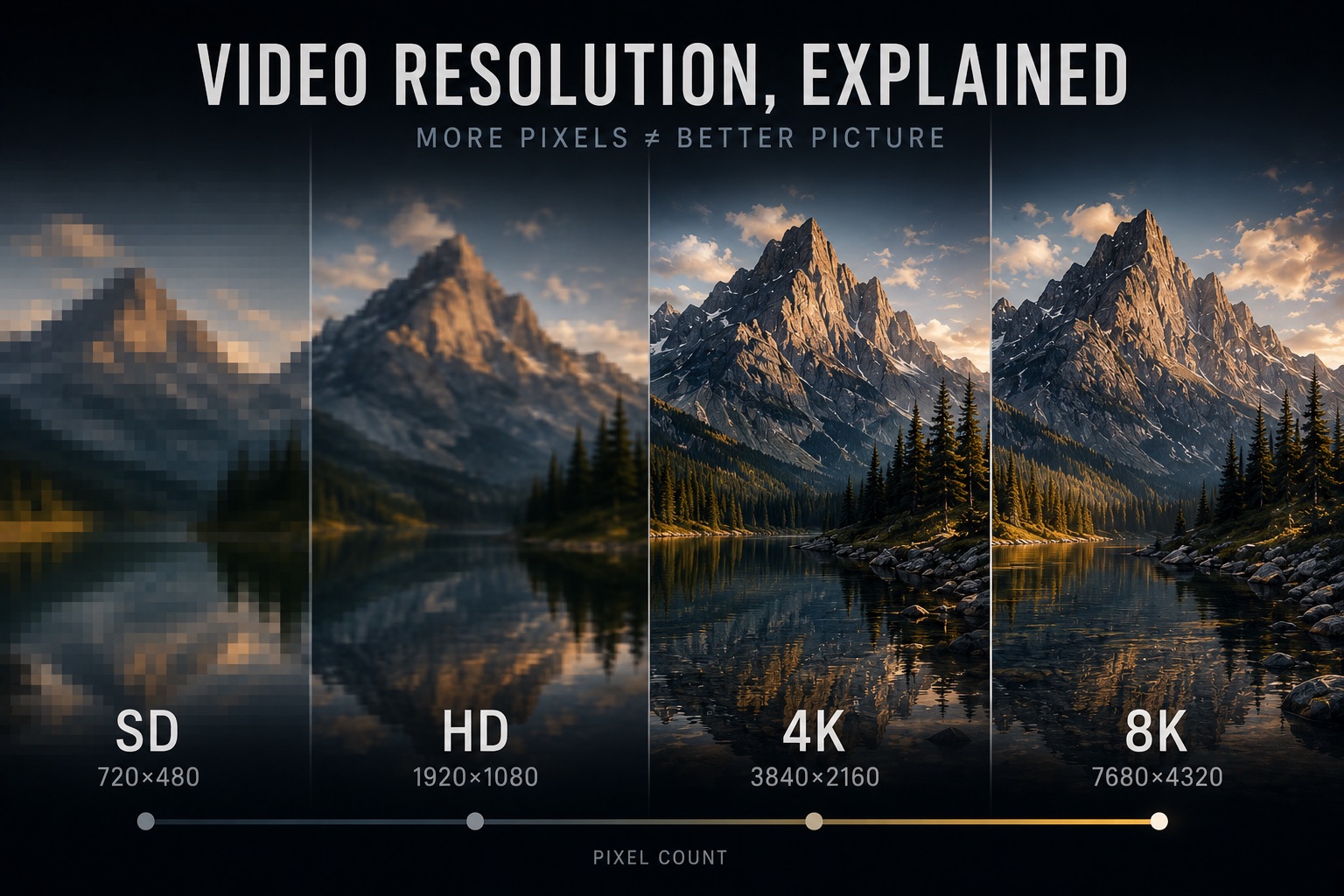
Video Resolution, Explained — SD, HD, 4K, 8K, and What More Pixels Actually Buy You
"4K" is on every camera box and TV shelf, but resolution is the most misread number in video. Here's what the tiers from SD to 8K actually are, why DCI 4K and UHD aren't the same thing, why more pixels don't guarantee a sharper picture, and when they genuinely pay off.
Read more →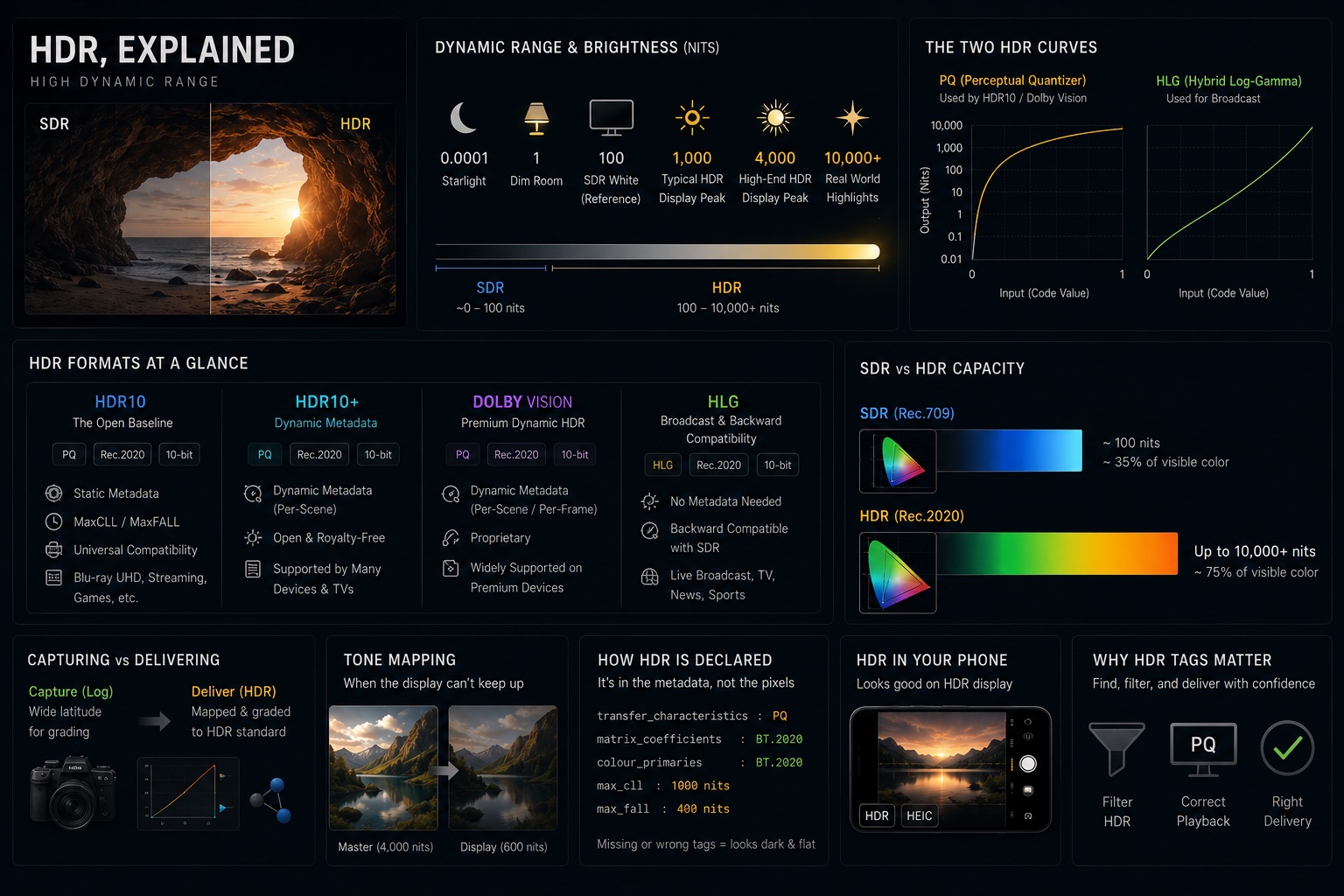
HDR, Explained — HDR10, Dolby Vision, HLG, and What "High Dynamic Range" Actually Means
HDR is sold as "brighter, more vivid" — but that marketing hides what's really going on. Here's what dynamic range actually is, why HDR needs PQ or HLG curves and 10-bit color, and how HDR10, Dolby Vision, and HLG differ in one sitting.
Read more →